
Manage Existing Supplementary Certificates
Suspend a certificate
If a certificate loses its validity, it can be suspended in the register. The suspension date as well as the reason(s) for the suspension must be selected. Click on 
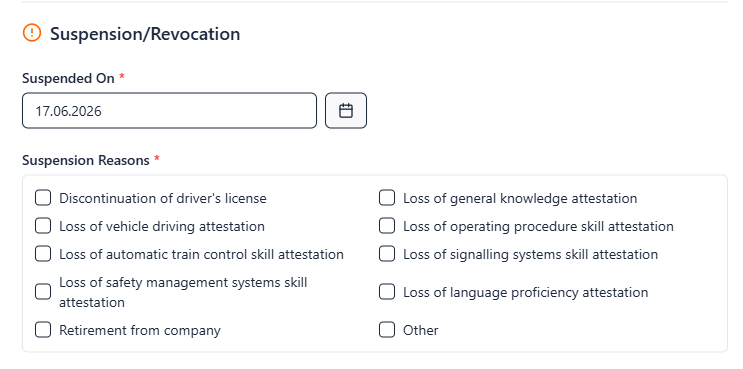
If special reasons lead to the suspension of the certificate, this form can already be used to enter information about the necessary measures that need to be carried out in order to be able to issue a new supplementary certificate.
By checking the Special review required field, you have the option of highlighting the suspended certificate in the register, making it easier to find again later through filtering.
Suspending and reinstating a supplementary certificate
If you only want to temporarily suspend a certificate, click on 
Enter the suspension date and the reason for suspension in the input form that opens.
If a suspended supplementary certificate is to be reinstated (reactivated), click on

This removes the suspension reason as well as the suspension date from the corresponding register entry.
Registering and recording a certificate as stolen / lost / destroyed
To record a report for a selected active certificate, click on 
This allows the status of the active certificate to be changed to lost, stolen, or destroyed, and a draft of a replacement certificate to be automatically created by clicking on the corresponding Save and create replacement button.